Admissions for international schools Families moving from anywhere, answered, placed and enrolled.
Admissio is the admissions cloud for international schools. Every child has one record from the first message to the first day, and the AI Assistant works beside your team in every time zone.
Free setup with our team
Enquiries
Families answered in every time zone.
A parent writes at 2am your time and hears back from your own admissions guide, on email or WhatsApp.
- The AI Assistant replies from your fees, dates and admissions guide
- It sends your prospectus, files and photos of the campus
- It hands over to your team when a person should answer
Applications
Families apply once, for every child, in their own language.
Parents fill in their details once and add each child. Your portal, forms and messages speak the family’s language.
- Every child in one application
- Your portal and messages in each language you offer, translated with AI for you to check
- Email addresses and WhatsApp numbers confirmed before an application reaches you
Placements
Every child in the right year group.
Each child is placed by their age on your curriculum’s cut-off date, such as 31 August for the British curriculum, and places and waitlists keep count for you.
- Year groups suggested by age on 31 August, or the date your curriculum uses
- Places left in every class, then a place on the waitlist
- Children with special educational needs (SEN) flagged for a placement review, so your team decides the class
Interviews and decisions
Fair decisions for every family, made the same way.
Families book their own interview, the facts are checked for your reviewers, and the AI Assistant summarises each application.
- Interviews booked by families, in person or online, with reminders a day and an hour before
- Passports and school reports checked, English and Mathematics rated by your reviewers
- The AI Assistant suggests a decision or makes it on the steps you choose, and rejections wait for a person
Offers and fees
Offers accepted and fees paid before the move.
Parents sign the offer online by the date you set and pay the way they already pay, straight into your school’s account. We take no transaction fee.
- A sibling discount from the second child, worked out for you
- Cards, bank transfer and mobile money through Flutterwave, Paystack or Stripe, in the currencies you accept
- Scholarships with their own review and award letter
Visa letters
Visa letters the embassy can check.
Visa support letters are issued from the child’s record, and anyone can confirm a letter is genuine.
- Letters from your own template, issued when an offer is accepted or by your team
- Every letter carries a verification code and a QR code
- The verification page shows the letter is genuine and current
Automations
Every child ready for the first day.
Set a rule once, and every family gets the right form at the right time without anyone having to remember.
- The visa details form goes out when an offer is accepted, by email and WhatsApp
- Medical details, emergency contacts and consent forms follow
- An SEN answer flags a placement review
School systems
Nobody types a family in twice.
When a child is enrolled, their record can go on to your school management system, so nobody types it in twice.
- Sync with your school management system, set up with you on request
- Moodle sync, coming soon
- Applicants and alumni brought in from a spreadsheet
Reports
See where your families come from.
Describe a report in a sentence, split it by country or campus, and let the AI Assistant explain what changed.
- Enquiries, applications and enrolments by country
- Where families stop between enquiry and enrolment
- Export or print in one click
The admissions cloud
And everything else admissions needs.
Contacts, forms, your applicant portal, interviews, placements, documents, versions, intakes and integrations all sit on the same record.
- Enquire
- Apply
- Decide
- Enrol
- Run
- Report
- Trust
Data security
Families’ data, in safe hands.
Your team signs in the way you choose, each person sees only what their role allows, and your data can stay in your region on request.
- Your sign-inStaff sign in with your school’s accounts, email, passkeys or two-step codes.
- Roles by campusEach person sees only what their role allows, on the campuses they work on.
- Every change on recordWho did what and when, with what changed.
- Files checked, records deleted completelyEvery upload is checked for viruses, and a deleted application is deleted completely.
Getting started
Live this intake, set up with us at no cost.
Our team sets up your account and your first process with you, free of charge. Bring your forms and applicants with you.
Book a demo
See Admissio with your own process in mind.
We set it up with you
Your process, fees and messages, ready for your next intake.
Bring what you have
Import forms from Jotform, Typeform, Google Forms or Odoo Survey, and applicants from a spreadsheet.
Open your intake
Share your portal and start receiving applications.
Questions
What international schools ask us.
Can parents apply for more than one child at once?
Yes. Parents fill in their own details once and add each child to the same application. Each child then has their own record, review and offer.
How does the sibling discount work?
You set it for each intake, for example 10% off from the second child, on every fee or the fees you choose. It shows on the family’s checkout and receipt.
Can families apply in their own language?
Yes. Families pick their language on your portal, and your process, forms and pages show in it. The AI Assistant can translate them for you to check.
Can families pay in their own currency, and where does the money go?
You choose the currencies you accept, and families pick one when they pay. Payments go straight into your school’s account with Flutterwave, Paystack or Stripe, and we take no transaction fee.
Can an embassy check our visa letters?
Yes. Every letter has a verification code and a QR code. Anyone can open the verification page to see that your school issued it and that it is the current version.
How are children placed in a year group?
A rule suggests a year group from the child’s age on your curriculum’s cut-off date, such as 31 August for the British curriculum. Your team confirms it, and a child with special educational needs (SEN) can be flagged for a placement review first.
Does it work for British, IB and American curriculum schools?
Yes. You name your own year groups or grades and choose the cut-off date each one uses, so Year 7 and Grade 6 can sit side by side.
Does it work with our school management system?
Syncing enrolled children to your school management system is available on request, and Moodle sync is coming soon. You can also bring applicants and alumni in from a spreadsheet.
Is our families’ data safe?
Staff sign in with your school’s accounts, email, passkeys or two-step codes, and each person sees only what their role allows. Every change is on record, every upload is checked for viruses, and your data can stay in your region on request.
Can we bring our current forms and applicants?
Yes. Import forms from Jotform, Typeform, Google Forms or Odoo Survey, and applicants from a spreadsheet. Our team sets up your first process with you, free of charge.
Other institutions
Admissions for every kind of institution.
The same admissions cloud, in the words of each institution.

Private schools
Every child placed in the right class, with places and waitlists kept for you.
See how
School groups
Every campus runs its own intake, with one view across all of them.
See how
Universities
Every applicant reviewed the same way, by every committee.
See how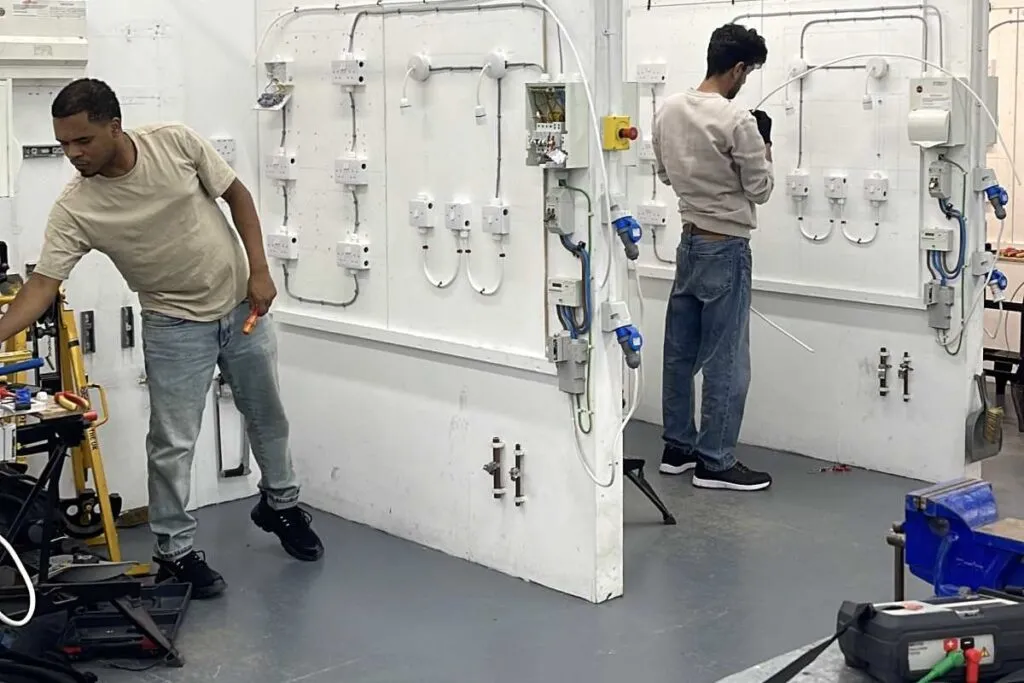
Technical and vocational colleges
Every cohort filled on time, intake after intake.
See how